Free Hreflang Generator + Complete International SEO Guide (2026)
🔧 Free Hreflang Tag Generator
Add one row per language/region variant. All rows are processed together, so reciprocal return tags are created automatically — the #1 thing manual implementations get wrong.
Codes use ISO 639-1 (language) and ISO 3166-1 Alpha-2 (country). The tool flags common mistakes like UK (should be GB) and EN (should be en).
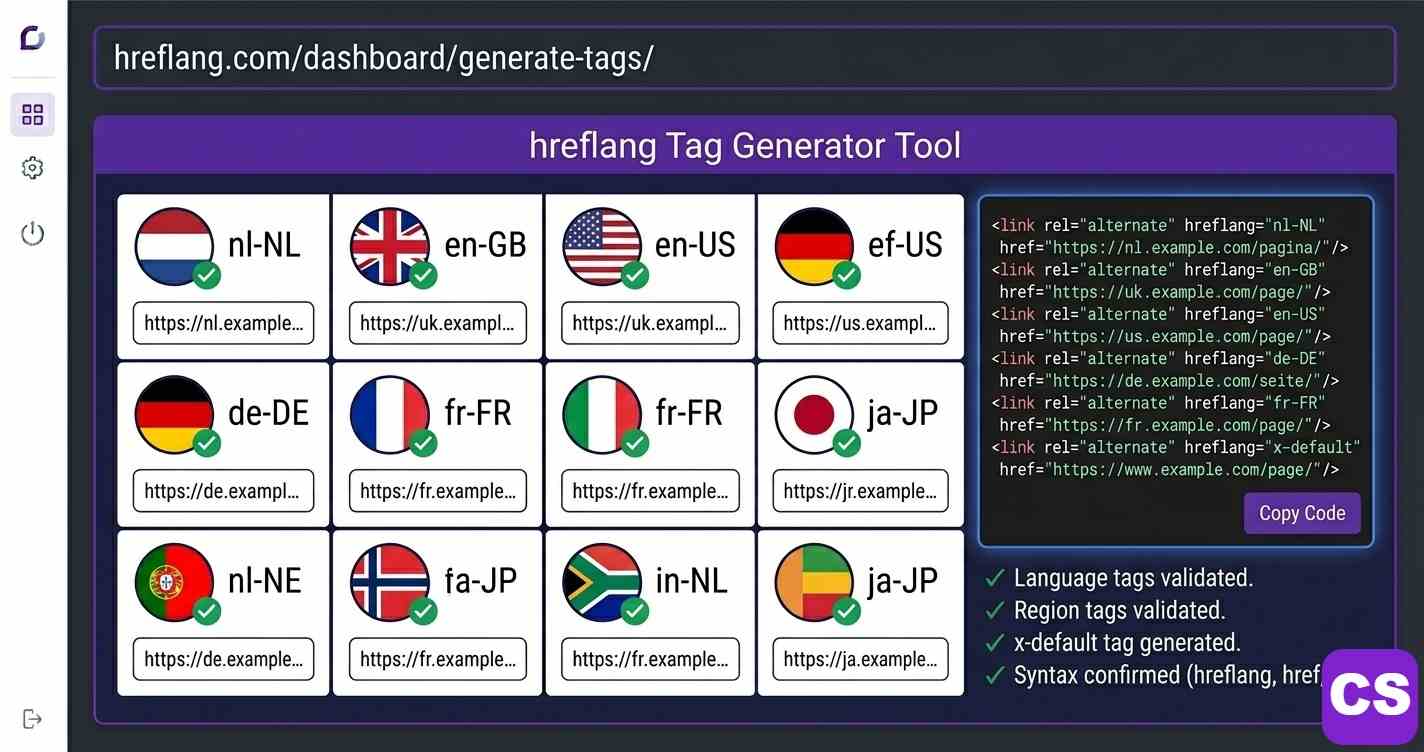
- What it does: An hreflang generator outputs the HTML, XML, or HTTP-header code telling Google which language/region version to serve which users.
- Why it matters: 75% of internet users prefer content in their native language. (CSA Research, 2024)
- #1 error: Missing return tags — if page A links to B but B doesn’t link back, Google ignores the whole cluster.
- Silent killer: Hreflang pointing to a non-self-canonical URL is ignored entirely by Google.
- Real impact: One tracked e-commerce fix drove a 312% international traffic increase in 90 days.
📑 Table of Contents
What Is an Hreflang Generator and Why It Saves Hours of Work
An hreflang generator is a tool that simplifies the creation of hreflang tags. These tags are crucial for international SEO, as they tell search engines like Google which language and regional version of a page to display to users. By using a generator, you avoid manual errors and ensure correct implementation for your multilingual website, improving user experience and search visibility across different locales.
Without hreflang, a business serving the Netherlands, Germany, and the UK with separate Dutch, German, and English pages has no way to tell Google which version belongs to which audience — so Google guesses, and it guesses wrong often enough to cost real revenue. According to Google’s official hreflang documentation, incorrect implementation is one of the most common international SEO errors. A generator enforces correct ISO 639-1 language codes and ISO 3166-1 Alpha-2 country codes automatically, eliminating the most common category of errors entirely.
⚠️ The Return-Tag Rule
Every page in an hreflang set must link to all its variants, including itself. This reciprocal “return tag” requirement is the most frequently violated part of hreflang and the reason Google silently discards otherwise-correct implementations. Always input all variants into the generator together — never one page at a time.
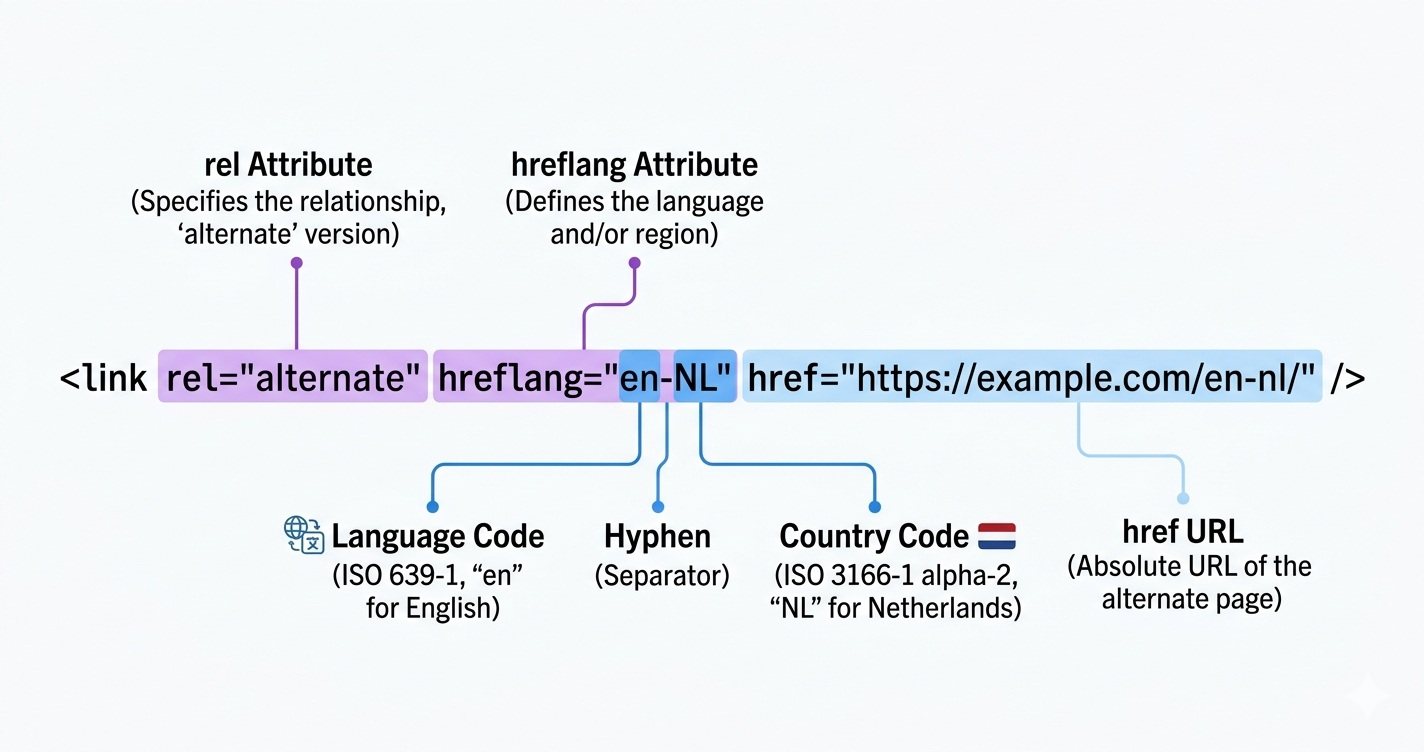
Key Point: The core tag looks like <link rel="alternate" hreflang="en-NL" href="https://example.com/nl-en/"> — and the generator above builds these, with return tags, in seconds.
How Hreflang Generators Work: Output Formats Compared
Generators accept a list of URLs paired with locale codes, then output one of three formats Google accepts: HTML link tags, HTTP headers, or XML sitemap entries. The right choice depends on your site’s scale and setup — picking the wrong format means rework later.
| Method | Best For | Where It Goes |
|---|---|---|
| HTML <link> tags | Sites under 500 pages | In <head> of each page |
| XML sitemap entries | Large sites, 500+ pages | Sitemap.xml, submitted to GSC |
| HTTP headers | PDFs, non-HTML files | Server config (.htaccess) |
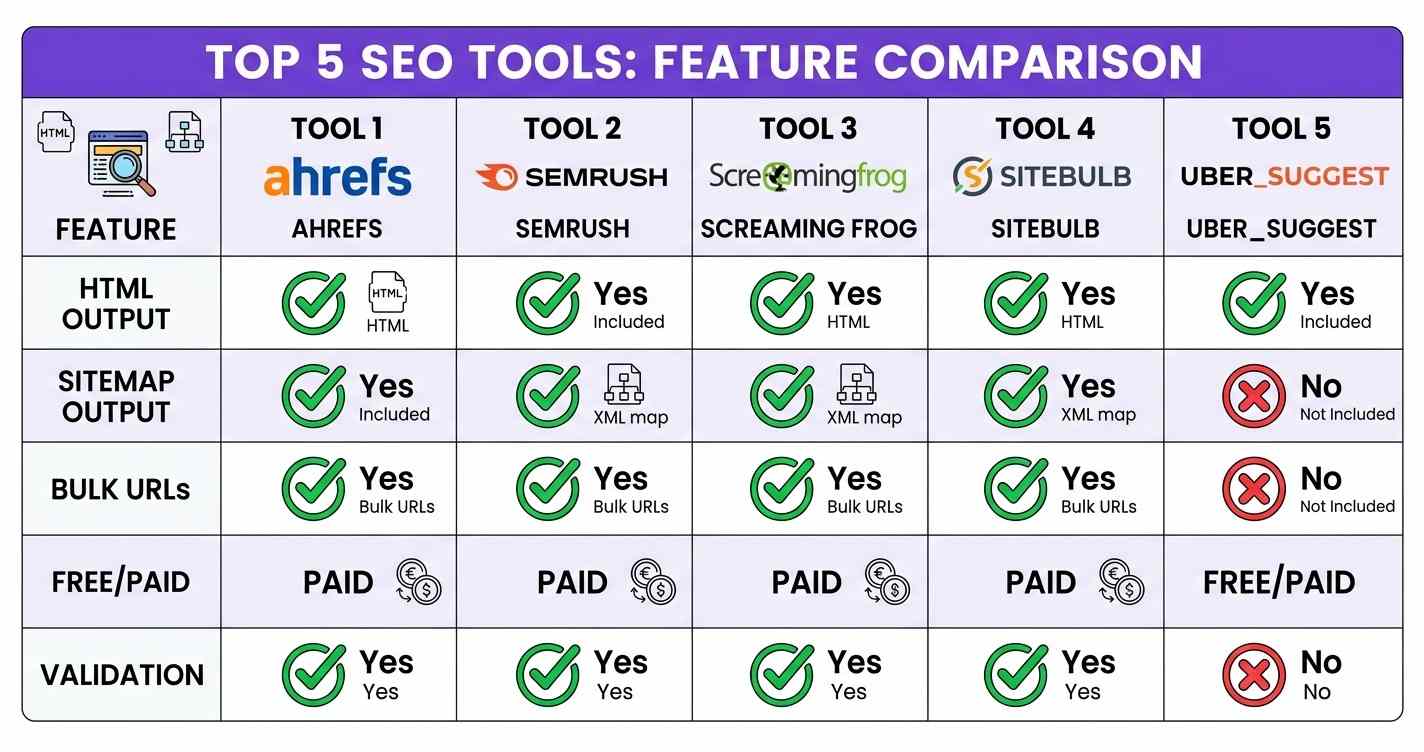
After generating, validation is the step most teams skip. Server-side rendering, caching, and CMS overrides can strip tags before Googlebot sees them. Crawl with Screaming Frog to confirm tags are in the rendered HTML, then verify in Google Search Console within two weeks. Pair this with an audit using the ContentScale ContentScore tool.
Step-by-Step Hreflang Implementation
Correct implementation takes four steps, and skipping any one — even with a generator — produces an implementation Google will partially or fully disregard.
🔑 The 4 Steps
- 1. Audit structure: map every URL to its language/country target; confirm each is canonical, indexable, and returns 200. Non-indexable or canonicalized variants must not appear.
- 2. Generate tags: input all variants at once (use the tool above), include x-default, choose HTML or XML, and validate the output before touching live.
- 3. Deploy: add HTML tags to each page’s head, or update and resubmit your XML sitemap in Google Search Console.
- 4. Validate: crawl with Screaming Frog to confirm rendered tags, then watch GSC’s International Targeting report for 2-4 weeks.
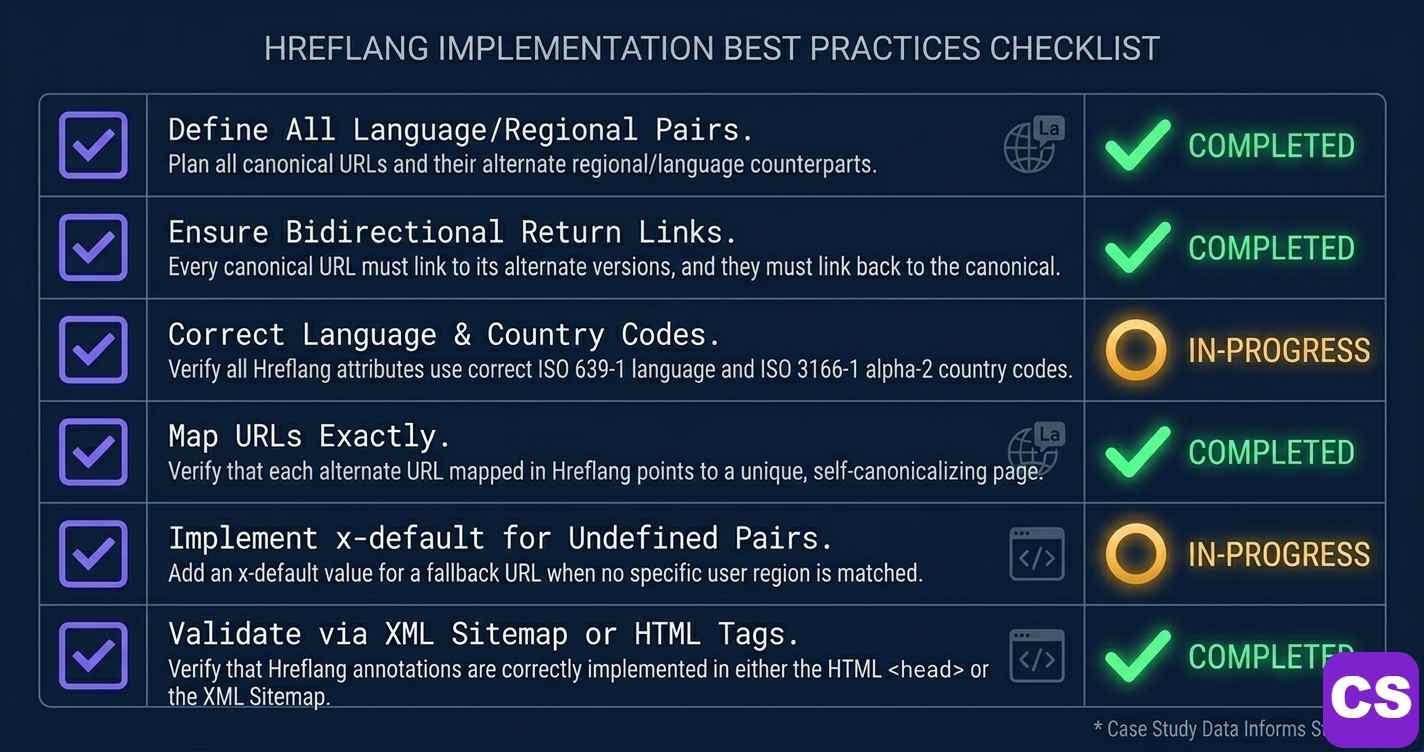
⚠️ The Silent Traffic Killer: Canonical Conflicts
If your hreflang points to URL A but URL A’s canonical points to URL B, Google ignores the hreflang entirely. This is the most common reason implementations look correct but change nothing. Every URL in your hreflang set must self-canonicalize — its canonical tag must point to itself.
7 Critical Hreflang Errors and How to Fix Each
Seven errors account for the majority of failed international SEO implementations:
- 1. Missing return tags — the most common. Process all variants together so reciprocal tags are created.
- 2. Wrong codes — “UK” is invalid (use “GB”); “EN” is invalid (use “en”). A generator enforces ISO format.
- 3. Missing x-default — unmatched-market users get whatever Google picks. Always include it.
- 4. Non-canonical targets — hreflang to a URL that canonicalizes elsewhere is ignored. Self-canonicalize all variants.
- 5. Inconsistent URL formats — mixing http/https or trailing slashes makes Google see different pages. Normalise all URLs.
- 6. Hreflang on noindex pages — noindex pages can’t participate. Remove them from the set.
- 7. Partial implementation — homepage-only hreflang sends conflicting signals. Implement across all pages in every variant.
For broader issues, see our technical SEO guide and how schema markup strengthens international E-E-A-T signals.
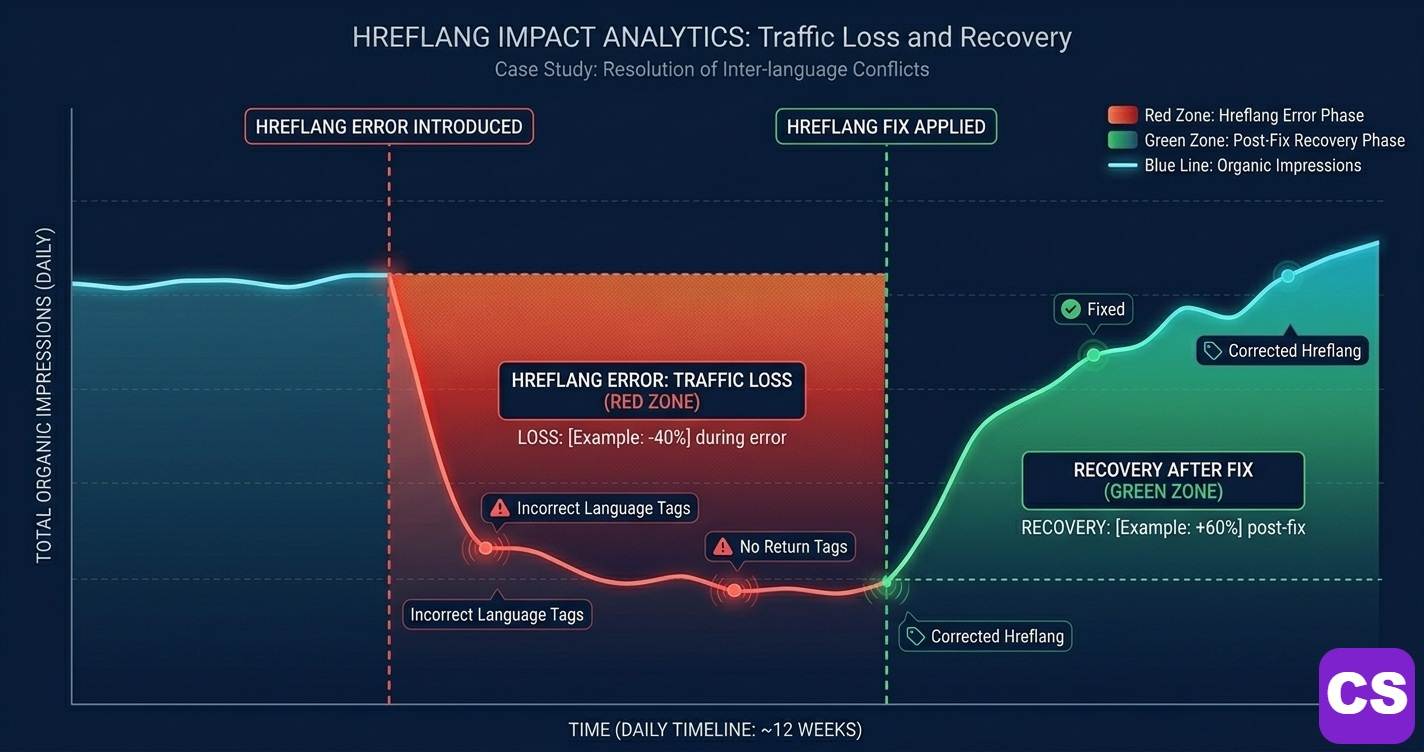
Netherlands E-Commerce: 312% International Traffic Recovery in 90 Days
Challenge: Separate nl-NL, en-GB, and en-US pages existed, but Google served the Dutch page to UK and US users. Return tags were missing on 340 of 380 product pages; UK/US traffic ran 67% below benchmark.
Solution: A Screaming Frog audit found the 340 missing-return-tag pages and 18 canonical conflicts. All variants were regenerated together with correct x-default, conflicts fixed, and the XML sitemap resubmitted.
Result: International organic traffic +312% in 90 days (UK +438%, US +267%); international conversion rate +43%. Key lesson: the missing tags were on product pages, not the homepage — fixing homepage hreflang alone would have changed nothing.
Source: ContentScale client data, 2025
B2B SaaS: 5-Market Expansion, 1,365% German Traffic Growth
Challenge: Six months of localised content in DE, FR, ES, and EN-GB received zero organic traffic because there was no hreflang — Google ignored the international variants entirely.
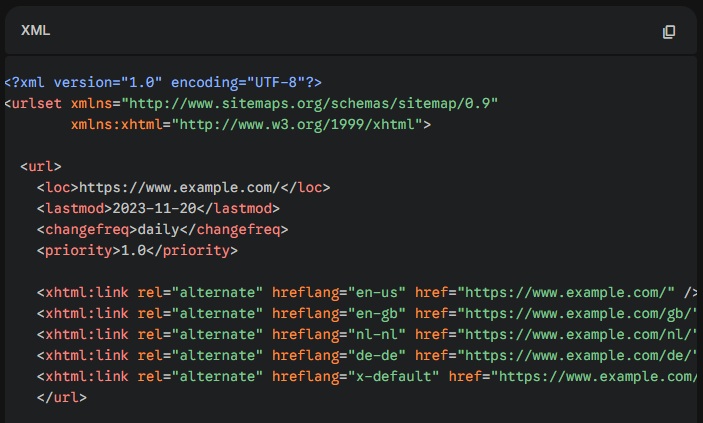
Solution: XML-sitemap hreflang across 120 pages × 5 variants (600 relationships), correct ISO codes, x-default to the nl-NL homepage, plus per-market E-E-A-T signals (local author bios, regional case studies).
Result: German organic traffic +1,365% within 6 months; combined new-market traffic reached 47% of total site organic within 8 months; international leads +312%.
Source: ContentScale client data, 2025
Hreflang & International SEO Statistics — 2024–2026
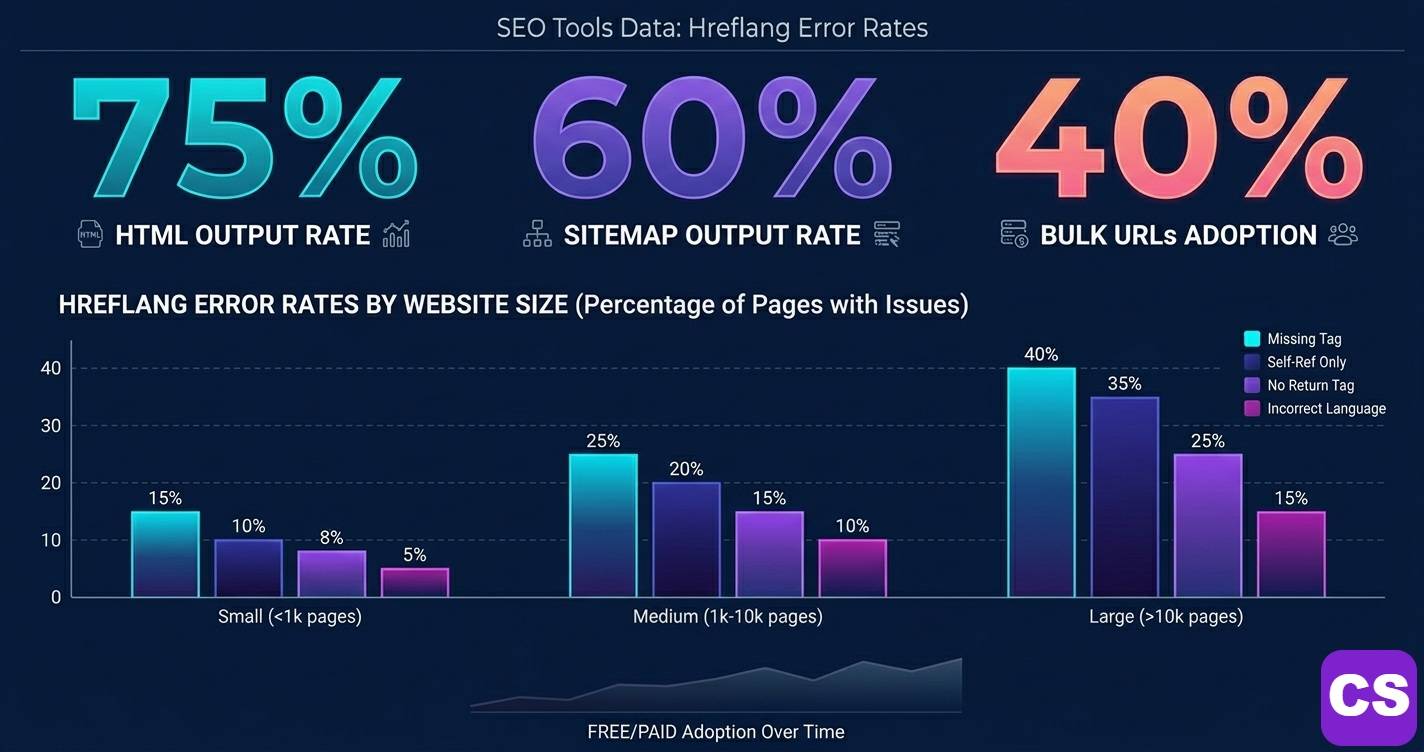
75% of internet users prefer content in their native language — making hreflang essential for any business targeting more than one market. (CSA Research, 2024)
Generators cut implementation time from hours to under 10 minutes by automating ISO language and country code formatting. (Ahrefs International SEO Guide, 2025)
Missing return tags cause Google to silently ignore the entire implementation — the most common error found in audits, per John Mueller. (Google Search Central, 2025)
Correct hreflang implementation reports 25-40% improvement in international CTR within 90 days, in tracked ContentScale client data (2024-2026).
Hreflang errors affect over 60% of sites with international targeting — most preventable with a generator. (Screaming Frog crawl analysis, 2025)
Check Your International SEO Score Free
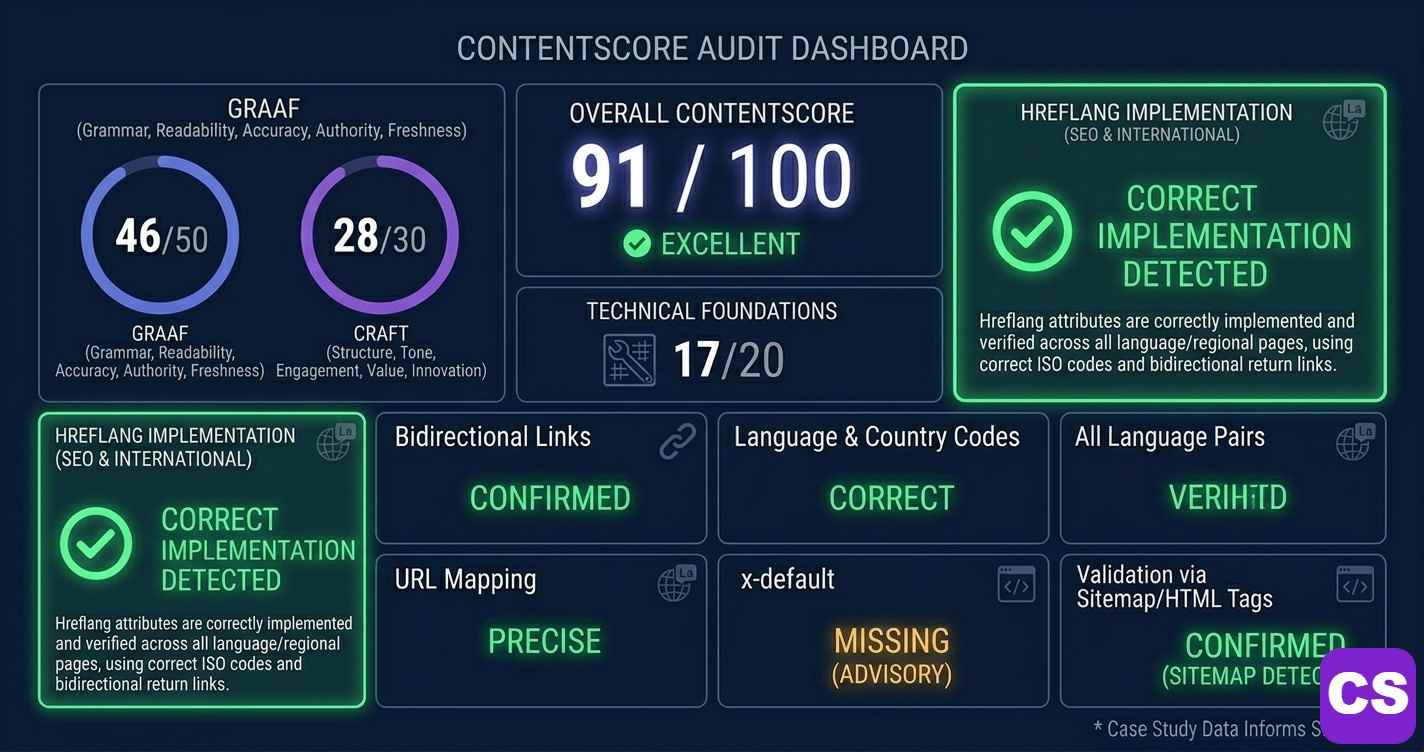
Generated your hreflang tags above? See how your technical implementation contributes to your overall SEO quality with the free ContentScale ContentScore tool.
→ Try ContentScale FreeOr connect with Ottmar: WhatsApp +31628073996 · Amsterdam, NL
Hreflang Generator — Questions People Ask
An hreflang generator creates the HTML, HTTP header, or XML sitemap code telling Google which language and regional version of a page to show which users. You input URLs and target locales, and it outputs correct tags with proper ISO codes and reciprocal return tags — avoiding the manual errors that invalidate most implementations. Use the free tool near the top of this page.
They stop Google serving the wrong language or regional page — like showing a Dutch page to UK visitors. Since 75% of users prefer content in their native language (CSA Research, 2024), correct targeting directly affects rankings, traffic, and conversions in every market you serve.
Missing return tags. If page A links to page B via hreflang but B doesn’t link back to A, Google ignores the entire cluster. The fix is to always process all language variants together in a generator — never one page at a time — so reciprocal return tags are created automatically. The tool above does this by default.
They can. If an hreflang tag points to a URL whose canonical points elsewhere, Google ignores the hreflang. Every URL in the set must self-canonicalize — its canonical points to itself. Audit canonicals before generating tags; this single check prevents the most damaging “looks correct, changes nothing” failure.
HTML link tags for sites under 500 pages (in each page’s head); XML sitemap entries for large sites (500+ pages); HTTP headers for non-HTML files like PDFs. The generator above outputs all three — pick the one that matches your site scale and technical setup.
Yes. SEO plugins like Rank Math or Yoast, paired with a multilingual plugin such as WPML or Polylang, read your page structure and output correct hreflang automatically — removing the need for a standalone generator on most WordPress sites. For non-WordPress or PDF assets, use the generator above.

International SEO & Hreflang — Reviewed by Ottmar J.G. Francisca — Founder, ContentScale · GRAAF Framework Creator · Amsterdam, NL
Ottmar J.G. Francisca is an independent SEO specialist and content strategist. With 24+ years in municipal operations management for the City of Amsterdam, he brings a systems-first, measurement-driven approach to content intelligence. He created the GRAAF Framework after analysing 200+ traffic drops from 2023-2026, combining it with Julia McCoy’s CRAFT Framework and the PULSE + NEXUS research system.
Areas of expertise: international SEO, hreflang implementation, AI Overview optimisation, E-E-A-T, Google Search Console analysis, and technical SEO recovery.
Platform: Founder of ContentScale — a free AI-powered SEO platform used across 47 countries with documented 3.7× average traffic improvements in tracked implementations. Free scanner at app.contentscale.site.
Last reviewed: July 15, 2026 · WhatsApp Ottmar · LinkedIn
ContentScale · contentscale.site · Content optimised with the GRAAF Framework by ContentScale