SEO Crisis Management: An Evidence-Led Recovery Guide
Created by independent SEO consultant Ottmar Francisca, this methodology uses the evidence-led GRAAF Framework to isolate technical failures, algorithmic updates, manual penalties, or security breaches, establishing a controlled recovery plan within 90 days. An SEO crisis should not begin with random changes. First confirm the loss, preserve the evidence, identify the affected pages and queries, and separate correlation from cause. Only then should you choose a recovery treatment. This 2026 guide explains how to diagnose, contain, and recover from Google manual actions, ranking-system changes, technical failures, security incidents, negative SEO, reputation crises, and AI-search visibility losses.
Your organic traffic suddenly dropped. Rankings disappeared, leads slowed down, and you need to know whether the cause is technical, algorithmic, security-related, competitive, or a reporting problem.
The goal is not to make every possible change. It is to confirm the incident, protect unaffected pages, choose the smallest justified treatment, and measure the result against a dated baseline.
Start with evidence, not assumptions:
- ✓ Confirm the decline in Google Search Console and analytics
- ✓ Check indexing, manual actions, security alerts, releases, and migrations
- ✓ Segment the loss by query, page, device, country, and search appearance
- ✓ Record a baseline before changing content, links, templates, or schema
Table of Contents
- What is SEO Crisis Management?
- Immediate SEO Crisis Triage
- Types of SEO Crises in 2026
- Early Detection: Warning Signs & Monitoring
- Emergency Response Protocol
- Google Penalty Recovery
- Algorithm Update Recovery
- Negative SEO Attack Defense
- Technical SEO Crisis Resolution
- Security Breach Recovery
- Reputation Management
- Crisis Prevention Strategy
- Essential Crisis Management Tools
- Real Recovery Case Studies
- Frequently Asked Questions
Immediate SEO Crisis Triage
If organic visibility drops suddenly, do not rewrite or delete pages immediately. Confirm the data, preserve a dated baseline, and determine whether the loss affects the whole site, one template, one topic, or a small group of URLs.
- Validate the incident: compare Google Search Console clicks, impressions, average position, analytics sessions, conversions, and server uptime over the same dates.
- Check direct warnings: review Google Search Console for manual actions, security issues, indexing changes, removals, and crawl anomalies.
- Map the blast radius: segment losses by page, query, directory, device, country, and search appearance.
- Review recent changes: document deployments, migrations, redirects, canonical changes, robots rules, template edits, content updates, and link activity.
- Choose one treatment: fix the confirmed cause first, preserve unaffected pages, and measure recovery against the frozen baseline.
The GRAAF approach supports this process by connecting Google data, retrieval context, AI-answer evidence, authority signals, and factual verification before implementation. It is a decision framework—not a promise of a fixed recovery date.
What is SEO Crisis Management?
SEO crisis management is the systematic process of identifying, responding to, and recovering from sudden, significant drops in organic search performance that threaten your website’s visibility, traffic, and revenue.
Unlike gradual ranking fluctuations, SEO crises are characterized by sudden, dramatic changes that require immediate action. These can stem from Google algorithm updates, manual penalties, technical failures, security breaches, or malicious attacks from competitors.
SEO crisis management has moved beyond reactive rank checking. A reliable response combines Search Console evidence, analytics, crawl and indexation checks, release history, security signals, and manual verification of AI-search citations.
Effective SEO crisis management requires three core capabilities: diagnosis to identify the root cause, a controlled response that addresses the confirmed issue, and measurement against a preserved baseline. Recovery time varies by cause, crawl frequency, implementation quality, competition, and the search systems involved.
Types of SEO Crises in 2026
Understanding the different types of SEO crises helps you choose the correct response protocol. These are common crisis categories websites can face in 2026:
| Crisis Type | Common Causes | Recovery depends on | Severity |
|---|---|---|---|
| Google Manual Penalty | Unnatural links, thin content, cloaking | Fix quality, reconsideration review, and recrawl | High |
| Algorithm Update Impact | Content quality issues, E-E-A-T gaps | Scope of improvements and reassessment | High |
| Negative SEO Attack | Toxic backlinks, content scraping, hacking | Attack type, link handling, and security response | Medium-High |
| Technical SEO Failure | Site migration errors, indexing issues | Cause, deployment speed, and recrawl | Medium |
| Security Breach | Malware injection, spam content | Cleanup, security review, and warning removal | Critical |
| AI Overview Displacement | Content not AI-friendly, missing citations | Query context, page quality, and citation evidence | High |
| Reputation Crisis | Negative reviews, brand attack campaigns | Source authority, sentiment, and response coverage | Medium-High |
Each crisis type requires a different response strategy. For guidance on specific crisis types, explore the related guides in my ContentScale portfolio:
- Google Penalty Recovery: Complete Diagnosis & Fix Guide
- Algorithm Update Recovery: Bounce Back Strategy
- Negative SEO Defense: Protect & Recover Fast
- Technical SEO Emergency: Rapid Response Guide
Early Detection: Warning Signs & Monitoring

The key to effective crisis management is catching problems early. Earlier detection preserves more reliable evidence, limits the number of uncontrolled changes, and gives you a clearer path to the root cause.
Critical Warning Signs
Monitor these indicators daily to catch crises before they escalate:
Traffic & Rankings Warnings:
- A material traffic decline outside the site’s normal range
- Multiple keywords dropping 10+ positions simultaneously
- Impressions stable but clicks dropping (AI Overview displacement)
- Entire pages or sections disappearing from search results
Technical Warnings:
- Google Search Console manual action notifications
- Sudden spike in crawl errors or server errors
- Pages mysteriously de-indexed
- Core Web Vitals scores deteriorating
Security & Attack Warnings:
- Hundreds of spammy backlinks appearing overnight
- Your content appearing on scraper sites
- Unauthorized changes to your website
- Surge in negative reviews across multiple platforms
Research from Writesonic confirms that unexpected ranking decreases often signal negative SEO attacks when they affect specific sections of your site or correlate with suspicious backlink patterns.
Essential Monitoring Setup
Implement these monitoring systems before a crisis hits:
Daily Checks:
- Google Search Console performance data
- Manual actions and security issues panel
- Core ranking keywords (top 10-20)
- Organic traffic trends
Weekly Audits:
- Backlink profile analysis for toxic links
- Content scraping detection
- Technical SEO health scan
- Competitor positioning changes
For detailed monitoring protocols and diagnostic checklists, see my SEO Crisis Detection: Early Warning System Setup guide.
Emergency Response Protocol

When a crisis hits, the opening response window is important. Use this framework to preserve evidence, contain avoidable damage, and move from symptoms to a confirmed cause:
Hour 1-6: Initial Assessment
Step 1: Confirm the Crisis
Not every traffic dip is a crisis. Verify the situation:
- Check Google Analytics for traffic patterns
- Review Google Search Console for notifications
- Compare current rankings to historical data
- Rule out tracking issues or technical glitches
Step 2: Categorize the Crisis Type
Identify whether you’re dealing with:
- Manual penalty (GSC notification present)
- Algorithm update (timing correlates with known updates)
- Technical failure (site-wide impact, crawl errors)
- Negative SEO attack (toxic backlinks, content scraping)
- Security breach (unauthorized changes, malware)
According to Empact Partners research, determining whether it’s a manual penalty or algorithmic impact is crucial because the recovery processes are completely different.
Communicate the incident without overstating the cause
Give stakeholders a short evidence update: when the decline began, which pages and queries are affected, what has been ruled out, what remains under investigation, and when the next update will be issued. Separate confirmed facts from working hypotheses, avoid promising a recovery date, and keep every implementation tied to the preserved baseline.
Hour 6-24: Data Collection & Root Cause Analysis
Gather comprehensive data to understand the full scope:
Traffic Analysis:
- Which pages lost traffic? Entire site or specific sections?
- Which keywords dropped? All keywords or specific query types?
- When exactly did the drop begin? Correlate with known events
- What percentage of traffic was lost? Severity assessment
Technical Investigation:
- Server logs for errors or downtime
- Recent website changes or updates
- Indexation status of affected pages
- Site speed and Core Web Vitals metrics
Backlink Profile Audit:
- Recent backlink additions (last 30 days)
- Suspicious link patterns or spam links
- Lost high-quality backlinks
- Anchor text distribution anomalies
Hour 24-72: Initial Response Actions
Based on your diagnosis, take immediate action:
For Manual Penalties:
- Read the manual action notice carefully
- Document all violations found
- Begin remediation immediately
- Prepare reconsideration request documentation
For Algorithm Updates:
- Review affected content for quality issues
- Identify E-E-A-T gaps in content
- Prioritize high-value pages for optimization
- Begin content improvement roadmap
For Technical Crises:
- Fix server errors and downtime immediately
- Submit affected URLs for re-indexing
- Restore lost redirects or fix broken links
- Monitor crawl budget and indexation
For Security Breaches:
- Isolate compromised systems immediately
- Remove malicious code and spam content
- Change all passwords and access credentials
- Request malware review from Google
Crisis Response Too Overwhelming?
If the cause remains unclear, request an evidence-led review before making broad sitewide changes.
Get Emergency Support →Google Penalty Recovery
Google manual actions remain one of the most serious SEO crises in 2026. The correct response is to identify the stated violation, remediate it completely, document the work, and submit a clear reconsideration request when Google provides that option.
Manual vs. Algorithmic Penalties
The recovery approach depends entirely on the penalty type:
Manual Penalties:
- Issued by Google’s human reviewers
- Visible notification in Google Search Console
- Specific issue identified in the notice
- Requires reconsideration request after fixes
- Review and recovery timing varies after the fixes and reconsideration request
Algorithmic Penalties:
- Triggered automatically by ranking systems
- No direct notification from Google
- Requires detective work to identify cause
- Recovery happens when Google recrawls fixed pages
- Recovery depends on recrawling, reassessment, competition, and the scope of improvements
According to Link Assistant research, it may take from a couple of weeks to several months for a site to recover, with manual penalties typically resolving faster than algorithmic issues.
Common Penalty Types & Recovery Strategies
1. Unnatural Links Penalty
Caused by manipulative link building practices. Recovery steps:
- Audit entire backlink profile using Ahrefs or Semrush
- Identify toxic links from spam networks, link farms
- Attempt manual outreach to remove harmful links
- Create comprehensive disavow file for remaining toxic links
- Submit disavow file through Google Search Console
- Submit the reconsideration request after remediation is complete and documented
2. Thin Content Penalty
Sites with low-quality, duplicate, or auto-generated content. Recovery approach:
- Identify all thin or low-value pages
- Delete or noindex pages with no redeeming value
- Consolidate similar pages into comprehensive resources
- Rewrite remaining content with substantial improvements
- Add E-E-A-T signals: author bios, credentials, sources
- Submit reconsideration once improvements complete
A published third-party example describes a health website that removed unreviewed AI content and introduced qualified medical review. The useful lesson is the remediation pattern—not an assumed recovery deadline. Verify the original evidence before citing the example as proof.
3. Cloaking or Deceptive Practices
Showing different content to users vs. search engines. Fix immediately:
- Remove all cloaking scripts and deceptive redirects
- Ensure Googlebot sees identical content as users
- Fix any hidden text or keyword stuffing
- Review mobile vs. desktop content consistency
- Submit for reconsideration with detailed explanation
4. User-Generated Spam
Comment spam, forum spam, or malicious user content:
- Implement stronger spam filters immediately
- Remove all spam content site-wide
- Add reCAPTCHA or similar verification
- Moderate user-generated content proactively
- Document anti-spam measures in reconsideration
Reconsideration Request Best Practices
Your reconsideration request quality directly impacts recovery speed. According to Wordtracker research, effective requests include:
- Specific acknowledgment of what you did wrong
- Detailed documentation of every fix implemented
- Evidence of removal (links removed, content deleted)
- Preventive measures to ensure it won’t happen again
- Concise format (clear, organized, not defensive)
For step-by-step penalty recovery protocols including reconsideration templates, see my Google Penalty Recovery Guide.
Algorithm Update Recovery
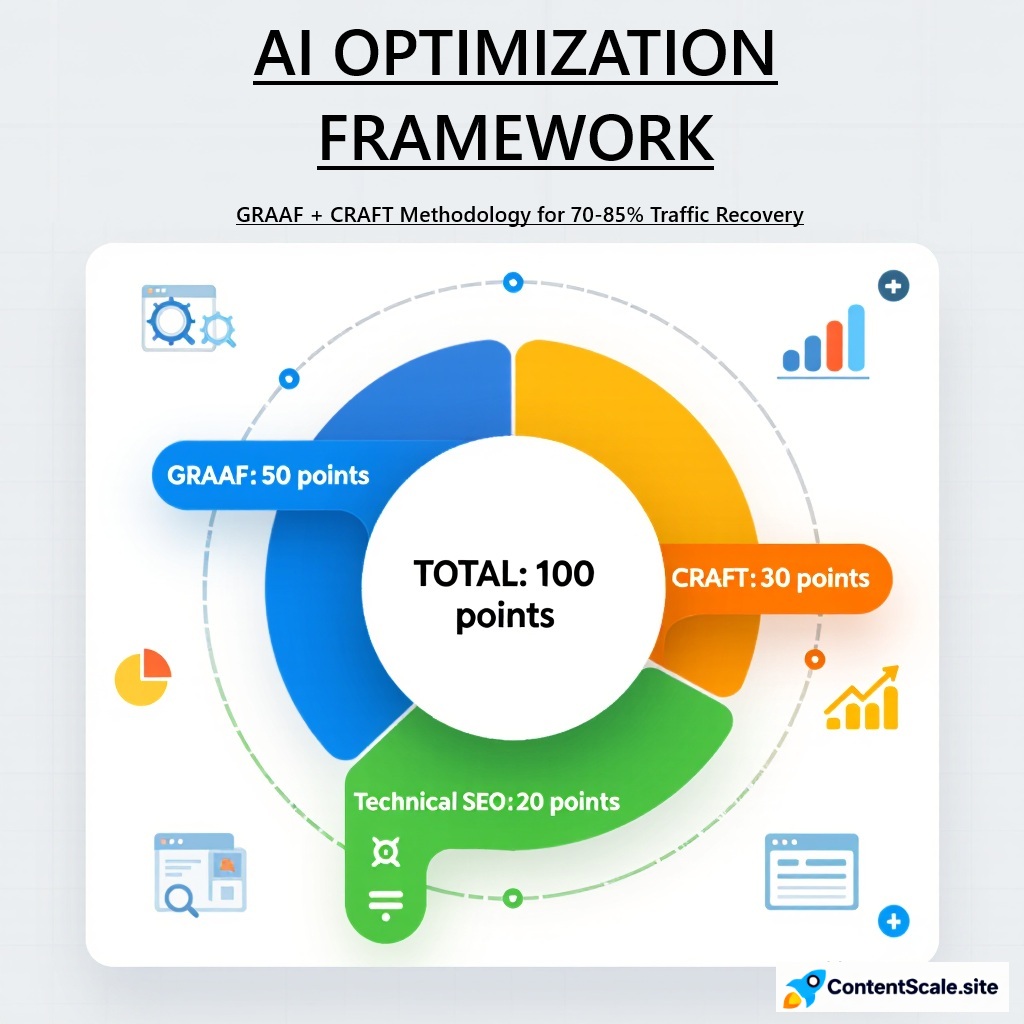
Ranking-system changes are one possible cause of a traffic drop in 2026. Unlike manual actions, an algorithmic decline usually requires broader quality and relevance improvements rather than a reconsideration request.
Understanding Algorithmic Impact
According to Huckabuy research, there is no notification from Google for algorithmic filters, and you don’t need to work with Google to resolve the problem. Instead, recovery happens automatically when Google recrawls your improved pages and recognizes the quality enhancements.
Current search-quality systems commonly evaluate:
- E-E-A-T signals (Experience, Expertise, Authoritativeness, Trustworthiness)
- Helpful Content that demonstrates first-hand experience
- User Experience including Core Web Vitals
- Content Freshness and regular updates
- Originality over AI-generated regurgitation
Core Algorithm Update Recovery Strategy
Phase 1: Content Quality Audit (Days 1-14)
Systematically review affected content for quality issues:
- Identify pages that lost rankings after the update
- Assess E-E-A-T signals: Do you demonstrate expertise?
- Check for thin content, duplicates, or outdated information
- Evaluate whether content truly helps users or just targets keywords
- Compare your content to top-ranking competitors
Phase 2: Strategic Content Improvement (Days 15-60)
Implement comprehensive content enhancements:
Add Experience Signals:
- Include personal experiences, case studies, real examples
- Show before/after results with specific data
- Add original research, tests, or experiments
- Include photos, videos, or screenshots of actual work
Strengthen Expertise & Authority:
- Add detailed author bios with credentials and experience
- Link to authoritative external sources
- Include expert quotes or testimonials
- Showcase certifications, awards, or recognitions
Improve Content Depth & Value:
- Expand superficial content with comprehensive coverage
- Add actionable steps and implementation guides
- Include data, statistics, and research findings
- Address common questions and edge cases
A published third-party example describes consolidating thin product content, adding expert contributions, improving structured data, and reducing mobile load time. Treat the remediation pattern as an example; independently verify the source and its measured outcome before presenting it as a documented result.
Phase 3: Technical Optimization (Days 15-45)
Address technical factors that support quality signals:
- Optimize Core Web Vitals (LCP, FID, CLS)
- Improve mobile responsiveness and usability
- Implement proper schema markup for content type
- Fix internal linking to support content authority
- Ensure HTTPS security across entire site
Phase 4: Monitoring & Iteration (Days 45-90)
Track recovery progress and refine approach:
- Monitor rankings weekly for affected keywords
- Track organic traffic trends in Google Analytics
- Request indexing of improved pages via Search Console
- Continue updating underperforming content
- Document what works for future optimization
Helpful Content Update Specific Recovery
The Helpful Content Update particularly impacts sites with:
- AI-generated content published without human review
- Content created primarily for search engines vs. users
- Lack of first-hand experience or expertise
- Topics outside the site’s core expertise area
Recovery focuses on demonstrating genuine helpfulness:
- Remove or dramatically improve AI-generated fluff content
- Add personal insights and unique perspectives
- Focus on topics where you have real expertise
- Show how content helps users achieve specific goals
For detailed algorithm update recovery protocols including content audit templates and improvement checklists, see my Algorithm Update Recovery Guide.
Negative SEO Attack Defense
Negative SEO can include toxic-link campaigns, content scraping, hacked pages, fake removal requests, and reputation attacks. Do not assume that every suspicious link caused a ranking decline: confirm timing, scale, indexation, security signals, and affected queries before choosing a response.
Common Negative SEO Attack Tactics
1. Toxic Backlink Spam
The most prevalent attack involves building thousands of low-quality backlinks to your site from:
- Link farms and spam networks
- Adult or gambling sites (if unrelated to your industry)
- Foreign language sites with irrelevant content
- Known bad neighborhoods flagged by Google
Warning signs include hundreds of spammy links appearing within days, all with similar anchor text patterns or from the same domain extensions (.tk domains are common).
2. Content Scraping & Duplication
Attackers steal your content and republish it across multiple sites, sometimes even before Google can crawl your original. This can lead to:
- Your content being flagged as duplicate
- Loss of ranking authority for original content
- Diluted search visibility across scraped versions
3. Fake Negative Reviews
Coordinated negative review campaigns across platforms like Google Business Profile, Yelp, Trustpilot. According to Semrush, these can be especially damaging to local businesses relying on the Google Local Pack for foot traffic.
4. Removal of Quality Backlinks
Attackers impersonate you to request removal of your legitimate high-authority backlinks. They contact site owners via fake emails claiming the links violate guidelines.
5. Website Hacking
The most severe attack involves compromising your site to inject:
- Malicious code or malware
- Hidden spam links or doorway pages
- Redirects to suspicious websites
- Invisible text with inappropriate keywords
Detection & Response Protocol
Step 1: Identify the Attack Type
Run these diagnostic checks immediately:
Backlink Profile Analysis:
- Use Ahrefs, Semrush, or Monitor Backlinks to audit new links
- Filter by date to see recent additions (last 7-30 days)
- Look for patterns: Same domain extension, similar anchor text
- Check anchor text ratios for unusual spikes
Content Scraping Check:
- Use Copyscape or Siteliner to find duplicate content
- Search unique phrases from your content in quotes on Google
- Set up Google Alerts for your content being republished
Security Scan:
- Run malware scans using Sucuri or Wordfence
- Check Google Search Console for security issues
- Review recent changes to files, especially core files
- Look for unauthorized admin accounts
Step 2: Document Everything
Create detailed records of the attack:
- Screenshot toxic backlinks before they’re removed
- Save copies of scraped content with timestamps
- Document ranking positions before and during attack
- Keep logs of all remediation actions taken
Step 3: Execute Attack-Specific Remediation
For Toxic Backlink Attacks:
- Export full backlink list from Ahrefs or Semrush
- Identify all suspicious/toxic links (use spam score metrics)
- Attempt manual removal by contacting the relevant site owners and record each request
- Create comprehensive disavow file for Google
- Submit disavow file via Google Search Console
- Monitor for new toxic links weekly
A real-world case from Kinsta demonstrates this process. After identifying hundreds of spammy links all on .tk domains pointing to a single article, they used Ahrefs to filter and disavow the entire attack pattern, successfully cleaning up the toxic link profile.
For Content Scraping:
- Submit DMCA takedown notices to scraper sites
- Report copyright infringement to Google using their form
- Contact web hosts of scraper sites
- Use canonical tags to indicate your original version
- Publish new content faster to establish precedence
For Security Breaches:
- Immediately change all passwords and access credentials
- Remove malicious code and spam content
- Update all CMS and plugins to latest versions
- Install security plugins (Wordfence, Sucuri)
- Request malware review through Google Search Console
- Implement stronger security measures going forward
For Fake Reviews:
- Flag reviews as inappropriate on each platform
- Provide evidence they’re fake (similar phrasing, timing)
- Respond professionally to maintain brand reputation
- Encourage legitimate customers to leave honest reviews
Step 4: Strengthen Defenses
Prevent future attacks with proactive monitoring:
- Set up automated backlink monitoring alerts
- Enable Google Search Console email notifications
- Schedule monthly security scans
- Implement strong website security measures
- Build strong positive signals to withstand attacks
For negative SEO defense protocols including disavow file templates and attack response checklists, see my Negative SEO Defense Guide.
Technical SEO Crisis Resolution
Technical SEO failures can cause immediate, catastrophic traffic loss. Common technical crises include site migrations gone wrong, indexation issues, server errors, and redirect chains that break user experience and crawl efficiency.
Common Technical Crisis Scenarios
1. Site Migration Disasters
Website redesigns or platform migrations frequently cause traffic drops when:
- 301 redirects are missing or incorrectly implemented
- URL structures change without proper redirect mapping
- Content is lost or consolidated poorly
- Canonical tags point to wrong versions
- XML sitemaps not updated for new structure
Emergency Response:
- Identify all broken redirects using Screaming Frog
- Create comprehensive redirect map: old URL → new URL
- Implement 301 redirects at server level
- Update internal links to point to new URLs
- Submit new sitemap and request re-crawling
- Monitor indexation status for 30 days post-migration
2. Indexation Crisis
Pages mysteriously disappearing from Google’s index:
- Accidental noindex tags added to important pages
- Robots.txt blocking critical site sections
- Server errors preventing Googlebot access
- Canonical tags creating indexation conflicts
Fix Protocol:
- Check robots.txt for accidental blocks
- Scan all pages for noindex meta tags
- Review canonical tag implementation
- Test server response codes (ensure 200 OK for live pages)
- Use URL Inspection Tool to diagnose Google’s view
- Request re-indexing via Google Search Console
3. Server & Hosting Issues
Website downtime or slow loading directly impacts rankings:
- Server crashes during high traffic periods
- Hosting provider infrastructure problems
- DDoS attacks overloading resources
- Database connection failures
Recovery Actions:
- Switch to reliable hosting provider if issues persist
- Implement CDN to distribute load and improve speed
- Set up uptime monitoring (UptimeRobot, Pingdom)
- Optimize database queries and caching
- Monitor Google Search Console for crawl errors
4. Core Web Vitals Failures
User-experience and rendering problems to investigate in 2026 include:
- Largest Contentful Paint (LCP) over 2.5 seconds
- First Input Delay (FID) exceeding 100ms
- Cumulative Layout Shift (CLS) above 0.1
Optimization Steps:
- Compress and optimize images (WebP format)
- Minify CSS, JavaScript files
- Implement lazy loading for below-fold content
- Use browser caching and server compression
- Remove render-blocking resources
- Fix layout shift issues from ads and embeds
5. JavaScript Rendering Issues
Heavy JavaScript frameworks preventing Google from seeing content:
- Content hidden behind JavaScript that doesn’t render for bots
- Client-side rendering without server-side fallback
- Important links not visible to crawlers
Solutions:
- Implement server-side rendering (SSR) or static site generation
- Use dynamic rendering for search engines if needed
- Test rendering with Google’s Mobile-Friendly Test
- Ensure critical content loads without JavaScript
Technical Crisis Prevention Checklist
Avoid technical disasters with these proactive measures:
- Pre-launch testing: Test all redirects before site migrations
- Staging environment: Test changes on staging before production
- Regular audits: Run monthly technical SEO audits
- Monitoring alerts: Set up downtime and error notifications
- Backup protocol: Maintain recent backups for quick rollback
- Change documentation: Log all technical changes for troubleshooting
For detailed technical SEO emergency protocols including diagnostic tools and fix workflows, see my Technical SEO Emergency Response Guide.
Security Breach Recovery
Security breaches represent one of the most critical SEO crises, potentially leading to complete de-indexation, malware warnings in search results, and permanent reputation damage if not addressed immediately.
Types of Security Breaches
Malware Injection: Malicious code installed on your site that can hijack traffic, steal data, or spread infections to visitors. Google may display “This site may harm your computer” warnings.
Pharma Hacks: Attackers inject pharmaceutical spam content or links, often hidden from human visitors but visible to search engines.
SEO Spam: Hidden spam content, doorway pages, or cloaking designed to rank for irrelevant commercial keywords while damaging your site’s reputation.
Defacement: Visible changes to your site, often displaying attacker messages or inappropriate content.
Immediate Response Protocol
Hour 1: Containment
- Take site offline or put in maintenance mode if actively spreading malware
- Change all passwords (hosting, CMS, database, FTP)
- Disconnect any compromised systems from network
- Notify hosting provider of security breach
- Check for unauthorized admin accounts and remove them
Hours 2-6: Investigation
- Run comprehensive malware scan (Sucuri, Wordfence)
- Review server access logs for suspicious activity
- Identify entry point (outdated plugin, weak password, etc.)
- Document all infected files and malicious code locations
- Check if backup files are also compromised
Hours 6-24: Cleaning
- Remove all malicious files and code
- Restore from clean backup if available
- Update all software (CMS, plugins, themes) to latest versions
- Patch identified security vulnerabilities
- Verify all files against known-good versions
- Test site thoroughly before bringing back online
Hours 24-48: Recovery & Prevention
- Submit security review request via Google Search Console
- Request malware warning removal from Google Safe Browsing
- Install security plugin (Wordfence, Sucuri, iThemes Security)
- Implement Web Application Firewall (WAF)
- Enable two-factor authentication for all accounts
- Set up security monitoring and alerts
- Create automated backup schedule
Google Search Console Security Actions
If Google detects malware or hacking on your site:
- You’ll receive notification in Security Issues panel
- Site may show warning messages in search results
- Traffic will drop dramatically as users avoid site
After cleaning your site, submit a security review request:
- Go to Security Issues in Google Search Console
- Document all remediation steps taken
- Request review of your site
- Monitor Search Console until Google reviews and clears the warning
- Once approved, warnings are removed from search results
Long-term Security Hardening
Prevent future breaches with robust security measures:
Access Control:
- Use strong, unique passwords for all accounts
- Implement two-factor authentication
- Limit admin access to necessary users only
- Use IP restrictions for admin areas when possible
Software Management:
- Keep CMS, plugins, themes updated immediately
- Remove unused plugins and themes
- Only use plugins from trusted developers
- Monitor for security vulnerabilities in your software stack
Infrastructure Security:
- Use HTTPS across entire site
- Implement Content Security Policy headers
- Configure secure server settings
- Use reputable hosting provider with security features
Monitoring & Response:
- Daily malware scans
- File integrity monitoring
- Login attempt monitoring
- Automated backup verification
For security breach recovery workflows including cleanup checklists and hardening guides, see my Security Breach Recovery Guide.
Reputation Crisis Management
When a reputation crisis hits, negative search results can quickly dominate your brand queries. By establishing a robust SEO crisis management protocol before an incident occurs, you are better prepared to protect the accuracy and balance of the evidence people find on page one of Google.
Proactive brand protection across search and AI answers
In my experience across 200+ websites, I deploy the GRAAF Framework to identify high-authority brand queries, optimize owned profiles, and build positive search evidence, systematically displacing harmful links from the first page of Google.
Proactive brand protection involves optimizing owned assets, including the professional portfolio at ContentScale, and earning accurate third-party citations. Keep the website, author profile, social profiles, business listings, policies, and contact information consistent, then save a baseline of the results that currently appear for important brand queries.
Generative Engine Optimization (GEO) adds a second evidence layer. Manually check how Google AI Overviews or Gemini, ChatGPT Search, Perplexity, Claude, and Microsoft Copilot describe the person or business, and record the exact sources they cite. Correct inaccurate owned information first and monitor material changes over time. Third-party rankings, coverage, and AI citations remain editorial decisions and cannot be guaranteed.
Reputation Crisis Scenarios
Negative Press Coverage: Critical news articles, exposés, or scandal coverage ranking prominently for your brand keywords.
Review Attacks: Coordinated negative review campaigns across Google Business Profile, Yelp, Trustpilot, and industry platforms.
Social Media Crises: Viral negative content on social platforms that search engines surface for brand searches.
Legal Issues: Court documents, lawsuits, or regulatory actions appearing in search results.
Reputation Recovery Strategy
Phase 1: Assessment (Days 1-3)
- Search your brand name across search engines
- Document relevant negative results and the sources ranking for the brand query
- Assess severity and accuracy of negative content
- Identify which platforms host negative content
- Determine if content violates platform policies
Phase 2: Direct Action (Days 1-14)
Remove Violating Content:
- Report fake reviews to platforms with evidence
- Submit DMCA takedowns for copyright violations
- Request removal of defamatory or false information
- Contact site owners directly for content removal
Respond Appropriately:
- Issue official statement addressing concerns
- Respond to negative reviews professionally
- Correct misinformation with facts
- Demonstrate accountability where appropriate
Phase 3: Suppression Strategy (Days 7-90)
Publishing more posts on one domain is not enough to control a reputation crisis. Search results can contain several independent sources, so recovery requires accurate first-party information plus credible third-party coverage and profile management:
Create Positive Content Assets:
- Publish company blog posts addressing the situation
- Create detailed “Our Story” or “About Us” content
- Develop comprehensive FAQ pages
- Produce video content on YouTube
- Publish press releases on distribution networks
- Create LinkedIn articles and company updates
Optimize Owned Properties:
- Optimize your website homepage for brand terms
- Create crisis-specific landing pages
- Optimize social media profiles (LinkedIn, Facebook, Twitter)
- Claim and optimize knowledge panel information
- Update Wikipedia if you have a legitimate page
Build Third-Party Content:
- Secure positive press coverage and interviews
- Guest post on industry publications
- Get featured in relevant directories
- Encourage satisfied customers to share testimonials
- Develop partnerships that create positive mentions
Phase 4: Long-term Monitoring (Ongoing)
- Set up Google Alerts for brand mentions
- Monitor review platforms daily
- Track search result changes for brand terms
- Continue producing positive content regularly
- Build ongoing positive reputation signals
Paid Search Strategy
For immediate visibility control during reputation crises:
- Run branded search campaigns to control top ad positions
- Create ad copy that addresses concerns directly
- Direct traffic to crisis response landing pages
- Use ad extensions to show positive messaging
- Monitor and adjust campaigns as crisis evolves
According to Communicatto research, paid search campaigns can be especially useful if the crisis won’t be resolved quickly and requires ongoing issues management.
Review Management Best Practices
Responding to reviews effectively minimizes damage:
Respond to ALL Reviews:
- Thank positive reviewers genuinely
- Address negative reviews professionally and empathetically
- Never be defensive or argumentative
- Offer to resolve issues offline when appropriate
- Demonstrate that you care about customer feedback
Encourage Positive Reviews:
- Ask satisfied customers to share experiences
- Make review process easy with direct links
- Follow up after positive interactions
- Showcase best reviews on your website
For reputation management protocols including content creation strategies and monitoring systems, see my Reputation Crisis Management Guide.
Crisis Prevention Strategy
The best crisis management starts with prevention. Proactive monitoring, dated baselines, release logs, access controls, and clear quality standards make incidents easier to detect, diagnose, and reverse.
Preventive Monitoring Systems
Daily Monitoring:
- Google Search Console performance data
- Manual actions and security issues panel
- Core ranking keywords tracking
- Organic traffic trends
- Server uptime and response times
Weekly Checks:
- New backlinks audit (Ahrefs, Semrush)
- Content scraping detection
- Competitor positioning analysis
- Technical SEO health scan
- Review platform monitoring
Monthly Audits:
- Comprehensive backlink profile analysis
- Content quality assessment
- Technical SEO full site crawl
- Security vulnerability scan
- Core Web Vitals performance review
Quality Standards Implementation
Content Quality Standards:
- Require E-E-A-T signals in all content
- Mandate human review of AI-generated content
- Establish minimum word counts for comprehensiveness
- Require citations for factual claims
- Regular content freshness updates
Technical Standards:
- All new pages must pass Core Web Vitals
- Mobile-first responsive design required
- Proper schema markup implementation
- HTTPS security across entire site
- Comprehensive redirect management
Link Building Guidelines:
- Only white-hat link acquisition methods
- Regular backlink profile audits
- Immediate disavowal of suspicious links
- Quality over quantity focus
Crisis Response Planning
Prepare crisis response protocols before you need them:
Documentation:
- Crisis response decision tree
- Contact list for crisis team
- Access credentials to all platforms
- Backup restoration procedures
- Communication templates
Team Preparation:
- Designate crisis response team members
- Define roles and responsibilities
- Conduct crisis simulation exercises
- Train team on crisis protocols
Tool Setup:
- Google Search Console alerts configured
- Backlink monitoring automation
- Uptime monitoring services
- Security scanning scheduled
- Analytics reporting dashboards
Algorithm Update Preparation
Stay ahead of algorithm changes:
- Subscribe to Google Search Central Blog
- Monitor SEO news sources daily
- Track algorithm update calendars
- Proactively improve content quality
- Maintain strong E-E-A-T signals
For crisis prevention frameworks including monitoring system setup and response team training, see my SEO Crisis Prevention Guide.
Essential Crisis Management Tools
Having the right tools ready before a crisis hits enables faster diagnosis and response. Here are the essential tools for comprehensive SEO crisis management:
Monitoring & Detection Tools
Google Search Console (Free)
- Manual action notifications
- Security issue alerts
- Performance data and ranking changes
- Indexation status monitoring
- Core Web Vitals reporting
Google Analytics (Free)
- Traffic trend analysis
- User behavior insights
- Landing page performance
- Real-time traffic monitoring
Ahrefs or Semrush (Paid)
- Comprehensive backlink analysis
- Ranking tracking across keywords
- Competitor monitoring
- Content gap analysis
- Site audit functionality
UptimeRobot or Pingdom (Freemium)
- 24/7 uptime monitoring
- Instant downtime alerts
- Response time tracking
- Historical performance data
Backlink Management Tools
Monitor Backlinks (Paid)
- Automated daily backlink checks
- New/lost backlink alerts
- Toxic link identification
- Competitor backlink tracking
Google Disavow Tool (Free)
- Submit toxic link disavow files
- Protect against negative SEO
- Required for manual link penalty recovery
Security Tools
Wordfence or Sucuri (Freemium)
- Real-time malware scanning
- Firewall protection
- Brute force attack prevention
- Security event logging
Google Safe Browsing (Free)
- Check site for malware/phishing
- Submit security review requests
- Monitor warnings on your site
Technical SEO Tools
Screaming Frog SEO Spider (Freemium)
- Comprehensive site crawling
- Identify broken links and redirects
- Analyze page elements
- Export data for analysis
PageSpeed Insights (Free)
- Core Web Vitals analysis
- Performance optimization suggestions
- Mobile and desktop testing
Content Analysis Tools
Copyscape (Freemium)
- Detect duplicate content
- Find content scraping
- Batch checking available
Siteliner (Free)
- Internal duplicate content detection
- Broken link identification
- Page power analysis
Reputation Management Tools
Google Alerts (Free)
- Monitor brand mentions
- Track new content about your business
- Competitive intelligence
ReviewTrackers or Birdeye (Paid)
- Multi-platform review monitoring
- Review response management
- Reputation analytics
Tool Stack Recommendations by Budget
Essential Free Stack:
- Google Search Console + Analytics
- Google Alerts
- UptimeRobot (free plan)
- Google Safe Browsing
- PageSpeed Insights
Expanded monitoring stack:
- Free tools above, plus:
- Semrush Guru plan
- Wordfence Premium
- Screaming Frog license
Enterprise monitoring stack:
- Ahrefs or Semrush Business
- Monitor Backlinks Professional
- Sucuri Platform
- ReviewTrackers or Birdeye
- Dedicated crisis management consultant
Recovery Examples and Evidence Lessons
The examples below illustrate possible remediation patterns. They are not ContentScale performance claims. Before using any third-party example as proof, verify the original source, baseline, implementation dates, and measurement method.
Case Study 1: Fitness Equipment Store – Algorithm Update Recovery
Crisis: A published example describes a major organic decline after a core update.
Reported root cause: Thin product content, weak mobile experience, and slow page performance.
Recovery Strategy:
- Consolidated overlapping thin pages into more useful guides
- Added content from certified fitness trainers
- Implemented proper schema markup across all products
- Improved mobile page performance
- Added E-E-A-T signals with trainer credentials
Evidence requirement: Confirm the original analytics baseline, affected URLs, implementation log, and post-change Search Console data before quoting a recovery percentage or timeline.
Key Takeaway: Systematic content consolidation and quality improvement can achieve rapid recovery when executed comprehensively.
Case Study 2: Health Website – Manual Penalty Recovery
Crisis: Manual penalty for “Thin content” from Google’s webspam team
Reported root cause: AI-generated health content was published without appropriate professional review or clear editorial safeguards.
Recovery Strategy:
- Removed or rewrote unreviewed AI articles
- Hired medical professionals to review/rewrite content
- Added clear doctor credentials and qualifications
- Included citations to peer-reviewed medical research
- Created dedicated “Our Editorial Standards” page
- Submitted detailed reconsideration request
Evidence requirement: Verify the manual-action notice, remediation record, reconsideration response, and comparable traffic data before publishing a recovery date or outcome.
Key Takeaway: For YMYL topics, genuine expertise and proper review processes are non-negotiable. Quick, comprehensive fixes get penalties lifted faster.
Case Study 3: Kinsta – Negative SEO Backlink Attack
Crisis: Hundreds of spammy backlinks appearing overnight, all from .tk domains pointing to single article
Root Cause: WordPress.org mentioned Kinsta in a post, which was then scraped by hundreds of automated RSS sites creating toxic backlink pattern
Recovery Strategy:
- Used Ahrefs to identify all .tk domain backlinks
- Filtered links by pattern (same TLD, same target URL)
- Created comprehensive disavow file
- Submitted to Google Search Console
- Set up automated monitoring for future attacks
Results:
- Toxic links successfully disavowed
- No lasting ranking impact
- Early detection prevented serious damage
Key Takeaway: Rapid detection and systematic disavowal of attack patterns prevents negative SEO from causing lasting harm.
Case Study 4: SEO.co and LLM.co – Multiple Negative SEO Attacks
Crisis: Multiple negative SEO campaigns including toxic backlinks and false Google Safe Browsing reports leading to deindexation
Attacks Faced:
- Thousands of overtly spammy backlinks
- Manual user report to Google Safe Browsing
- Site deindexation with browser warnings
Recovery Actions:
- Comprehensive backlink audit and cleanup
- Submitted appeal to Google Safe Browsing with evidence
- Strengthened site security measures
- Implemented proactive monitoring
- Sent cease and desist to identified attackers
Results:
- Site reinstated in Google index
- Rankings and traffic recovered
- Attackers ceased activities after legal pressure
Key Takeaway: Even sophisticated negative SEO attacks can be overcome with systematic response and, when necessary, legal action against attackers.
Common Success Factors
Across credible recovery documentation, the following practices repeatedly matter:
- Preserve evidence early: Timely investigation reduces guesswork and uncontrolled changes
- Comprehensive fixes: Addressing root causes completely, not just symptoms
- Documentation: Detailed records of issues and remediation for reconsideration requests
- Systematic approach: Following structured methods such as CRAFT and GRAAF
- Prevention investment: Sites with proactive monitoring face fewer crises
Ready to Start Your Recovery?
Don’t let an unverified assumption trigger a sitewide rewrite. Start with an evidence-led diagnosis and prioritized recovery plan.
Start Your Recovery →Frequently Asked Questions
How long does it take to recover from a Google penalty?
Recovery time depends on the violation, the completeness of the fix, Google’s review or recrawl, and whether the loss came from a manual action or an algorithmic reassessment. Avoid promising a fixed deadline; document the baseline, remediation, submission date, and subsequent Search Console changes.
Can negative SEO still affect my website in 2026?
Negative SEO and malicious activity can still create operational risk, but suspicious links alone do not prove causation. Check security alerts, indexation, link patterns, timing, affected queries, and manual actions. Use Google’s disavow tool cautiously and only when the evidence justifies it.
What’s the difference between a manual penalty and an algorithm update?
Manual penalties are issued by Google’s human reviewers and come with a notification in Google Search Console identifying the specific violation. They require you to fix the issue and submit a reconsideration request. Algorithm updates are automatic changes to Google’s ranking systems with no notification. If your site loses rankings during an update, you need to improve content quality and wait for Google to recrawl your site. There’s no reconsideration process for algorithm updates.
Should I use the Google disavow tool for negative SEO attacks?
Use the disavow tool when you’ve received a manual action for unnatural links, or when you face an overwhelming negative SEO attack with hundreds or thousands of toxic backlinks that you cannot manually remove. For smaller numbers of bad links, Google typically ignores them automatically. According to Semrush research, the disavow tool should be used cautiously as it can accidentally harm your legitimate backlink profile if used incorrectly.
How can I tell if my traffic drop is from AI Overviews?
Compare impressions, clicks, CTR, average position, query type, and search appearance in Google Search Console. Stable visibility with falling clicks can be consistent with answer-feature displacement, but it is not proof by itself. Manually inspect representative searches and record whether an AI answer appeared and which exact pages it cited.
What should I do immediately when I notice a sudden traffic drop?
First verify the incident in analytics and Google Search Console, check manual-action and security notifications, confirm the site is live and indexable, and record when the change began. Then classify the affected pages and queries, review recent releases, and preserve a baseline before making changes.
Can I recover from a Google algorithm update?
Recovery may be possible, but it requires diagnosis rather than automatic rewriting. Compare affected and unaffected pages, improve usefulness and first-hand evidence, resolve technical or intent mismatches, and avoid changing pages that still perform well. Google must recrawl and reassess the implementation, so no fixed recovery date can be guaranteed.
How do I prevent SEO crises before they happen?
Use a monitoring rhythm that covers Google Search Console notifications, indexation, key queries, conversions, uptime, security, backlinks, releases, and content changes. Automated alerts are useful, but every incident still needs human validation and a dated evidence trail.
What is SEO crisis management?
SEO crisis management is the controlled process of confirming a sudden search-performance loss, preserving the evidence, identifying the affected pages and queries, isolating the root cause, containing additional damage, implementing the smallest justified fix, and measuring the result against a dated baseline.
How do you recover from a Google manual action?
Read the exact notice in Google Search Console, document every affected pattern, remove or correct the violation completely, and retain evidence of the remediation. Submit a focused reconsideration request when Google provides that option. Do not promise a recovery date; record the response and later Search Console changes.
What causes a sudden drop in website traffic?
Possible causes include broken analytics, downtime, lost indexation, manual actions, ranking-system changes, migrations, redirect or canonical errors, security incidents, seasonal demand shifts, SERP feature changes, and stronger competition. Compare affected and unaffected pages, queries, devices, countries, and dates before changing the site.
How does reputation management affect SEO?
Reputation management affects what searchers and AI systems find for branded queries. Accurate owned pages, consistent profiles, legitimate reviews, credible third-party references, and clear responses to verified issues can improve the available evidence. It cannot guarantee removal or displacement of independent results.
What is a security breach recovery plan for SEO?
A security breach recovery plan isolates the compromised system, preserves logs, removes malicious code and injected pages, resets access, patches the vulnerability, restores a verified backup when necessary, checks Search Console security warnings and indexation, requests review where available, and monitors recrawling after the site is clean.
What is the GRAAF Framework for SEO recovery?
GRAAF is Ottmar Francisca’s systems-first method for connecting Google data, retrieval context, AI-answer evidence, authority signals, and factual verification. In a recovery workflow, it helps separate observations from verified facts and turns those findings into prioritized implementation and measurement steps.

Need help diagnosing an SEO crisis?
I work independently with businesses that need a documented diagnosis, a prioritized recovery plan, or implementation support. The scope depends on the evidence, the affected pages, and who will implement the work; I do not prescribe a fixed package before the cause is understood.
See how to work with me →